![SiteZeus-Logo-MARK.png]](https://help.sitezeus.com/hs-fs/hubfs/Hubspot%20Assets/SiteZeus-Logo-MARK.png?height=40&name=SiteZeus-Logo-MARK.png)
✨ New Features and Improvements ✨
Expandable Widgets
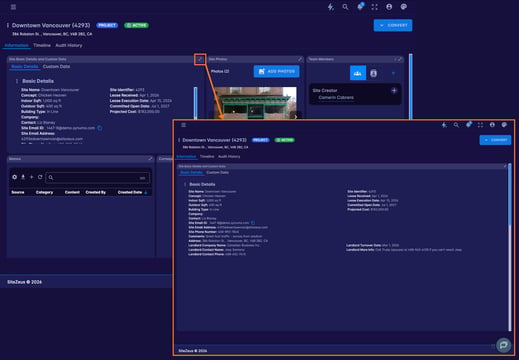
Widgets can now be expanded with the icon in the top right to of the widget to display more information, both on the Dashboard and the Site Landing page, reducing the need to scroll. The widget can return back to the original size with the same icon
Save Multiple Custom Fields
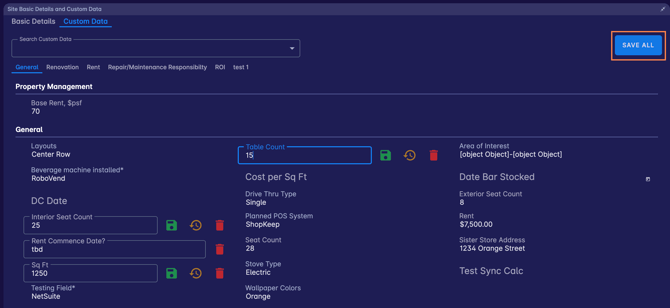
You can now edit multiple custom fields and save them all at once, making updates to site records faster and more efficient.
Open/Closed Filter
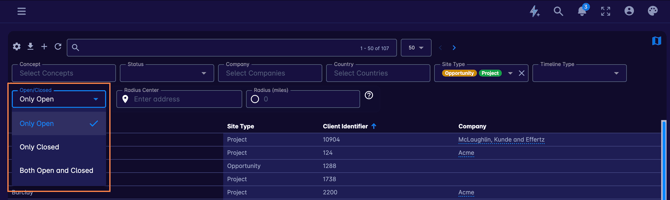
A new filter allows you to view Open, Closed, or both Open and Closed sites on the site grid, as well as custom and development reports.
Latest Memo First
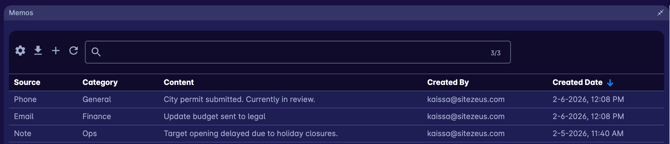
The memo widget now displays the most recent memo at the top by default, making it easier to view the latest updates.
Detailed Timeline Audit
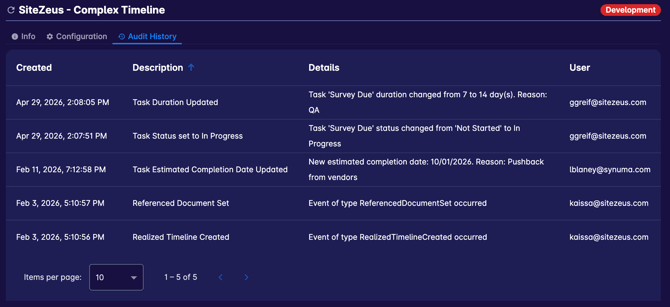
The timeline audit history now provides more detailed insight into changes made to tasks.
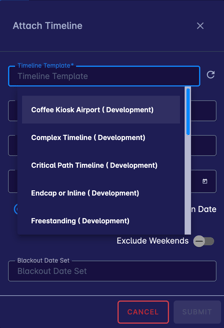
Alphabetical Timeline Dropdown
Timeline dropdowns are now displayed in alphabetical order, helping you locate the desired timeline more quickly.
Sticky Items per Page
Your items per page selection now persists on each grid and report. This includes the Site, Contacts, and Companies grids as well as the Development Report and any custom reports.
Payment Type on Payments Received Report
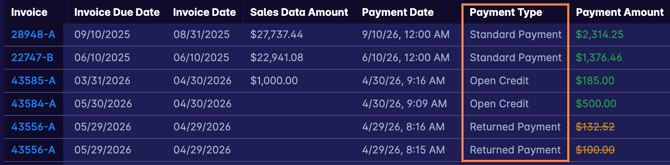
The Payments Received Report now includes the payment type: Standard Payment, Open Credit, or Returned Payment.
Edit Ownership Start Date
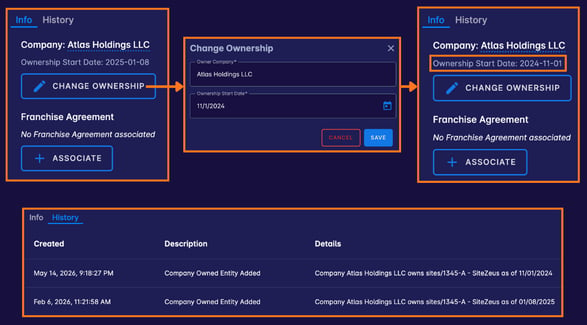
Ownership start dates can now be edited while maintaining historical dates in the audit history, providing greater flexibility and improved change tracking.
Gantt Chart
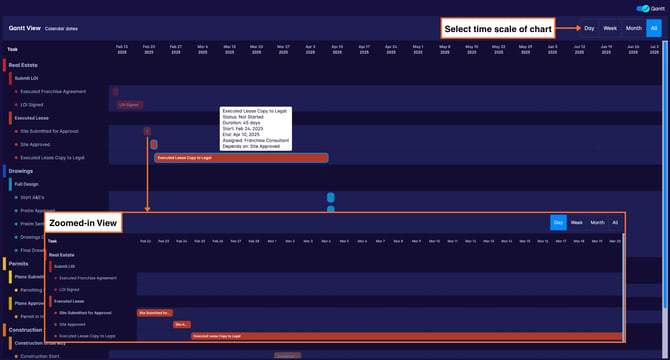
You can now toggle to a Gantt chart view on timelines, providing a visual overview of task sequencing, duration, and overall timeline flow. This view makes it easier to identify gaps, overlaps, delays, or other irregularities within a timeline. Double-clicking on a task will zoom into the selected task for a more focused view. Hovering over a task will highlight both its dependencies and dependent tasks, making it easier to understand task relationships and identify potential impacts throughout the timeline.
💥 Bugs Squashed 💥
Royalty Cap Report Export
We resolved an issue where the Royalty Cap Report exported as a blank file. It will now generate as expected.
Cumulative Sales Data Search Bar
We resolved an issue where searches on the Cumulative Sales Data Report were not returning the expected results. Search functionality will now display matching results as intended.
Missing Associated Company
We resolved an issue where the company associated to a site was not populating on the Site grid.
Unable to Select Blackout Dates
We resolved an issue where blackout date options were not populating when changing the timelines on a site.