![SiteZeus-Logo-MARK.png]](https://help.sitezeus.com/hs-fs/hubfs/Hubspot%20Assets/SiteZeus-Logo-MARK.png?height=40&name=SiteZeus-Logo-MARK.png)
New Promissory Note Functionality
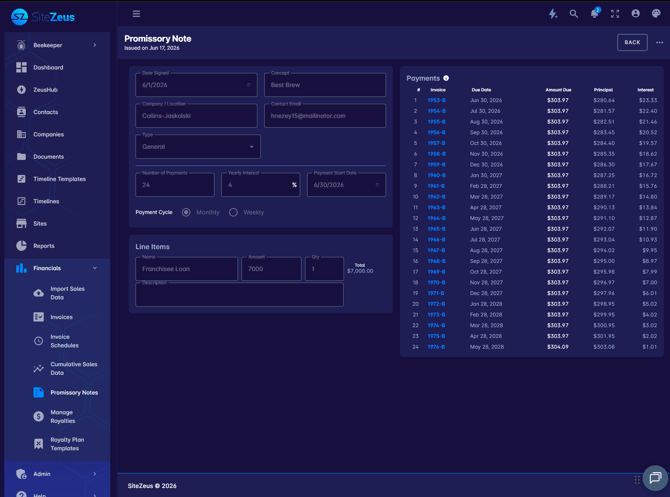
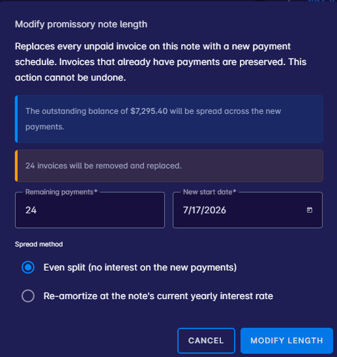
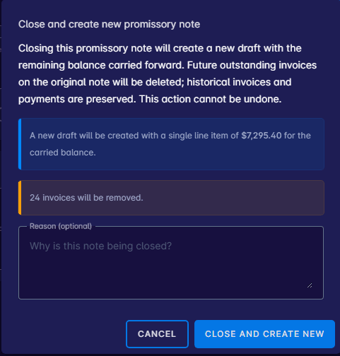
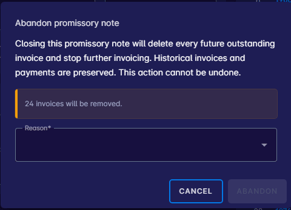
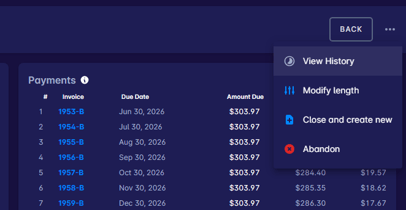
Promissory notes now support additional lifecycle actions to better reflect real-world scenarios. You can modify the time period on an existing promissory note, as well as perform two new close actions: Close & Abandon (for notes that will not be fulfilled) and Close & Transfer (to move the obligation to another record). All of these actions are tracked in the audit history, giving you clear visibility into the full activity log of each promissory note.
Site for Sale Widget & Report
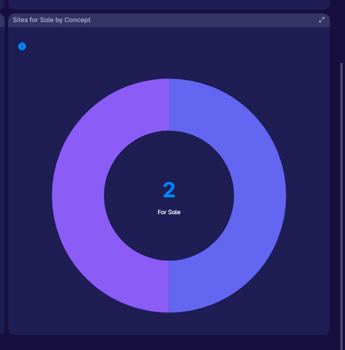
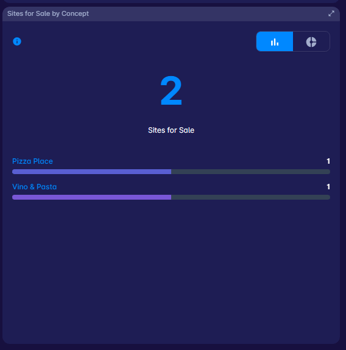
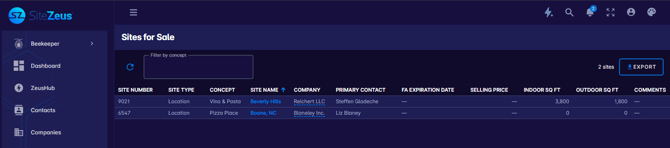
A new Site for Sale Widget and corresponding report have been added to the platform. The widget displays all sites currently marked ‘For Sale’ along with key sale-related information, and the full report provides a centralized view for tracking and managing your available inventory. This eliminates the need to filter site grids manually and gives your team a dedicated place to monitor active sale listings.
Edit Actual Open Date
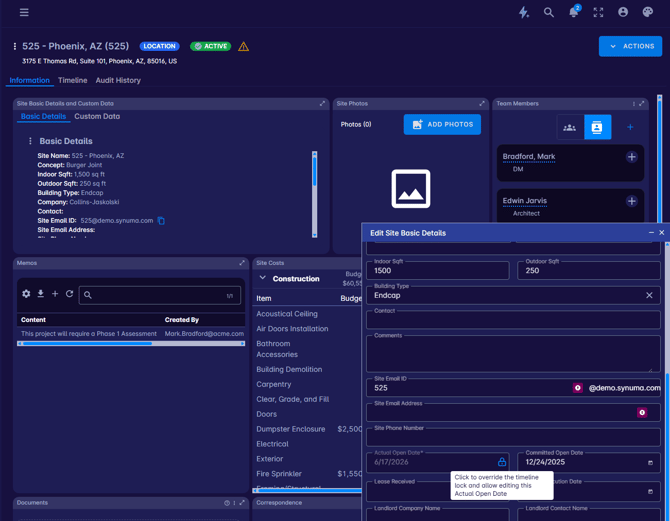
A new setting allows Actual Open Dates — which are automatically determined by timeline completion — to be manually adjusted when needed. This is useful in situations where a site’s physical opening doesn’t align perfectly with what the timeline data reflects, giving operations and development teams the flexibility to keep records accurate without being locked into system-calculated dates.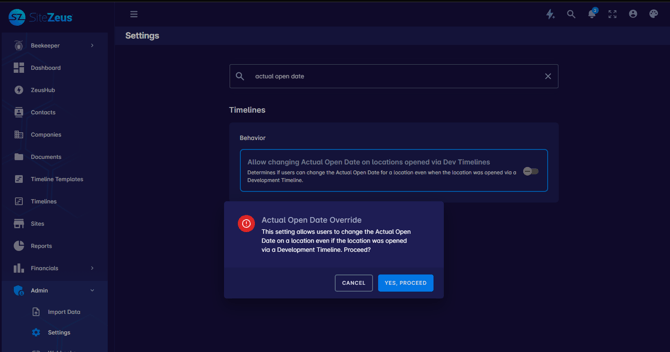
Import Contacts in NEXT
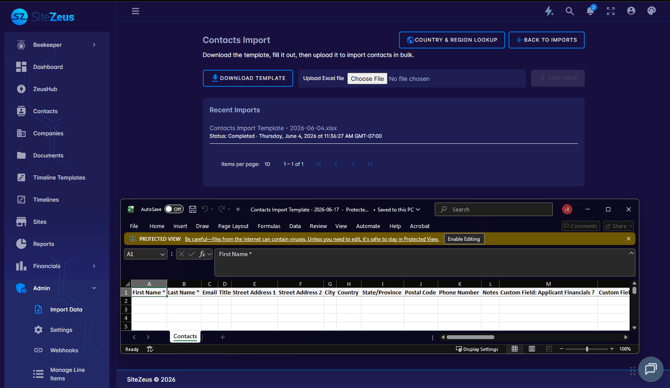
Contact import functionality is now available in the NEXT platform. You can upload a file to bring in multiple contact records at once, making it easier to keep your contact data up to date without manual entry. This is particularly helpful during onboarding, migrations, or any time you need to add a large number of contacts in bulk.
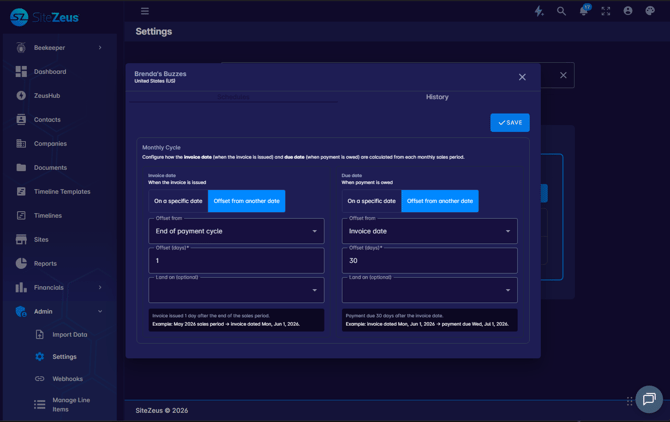
Configurable Invoice Due Dates
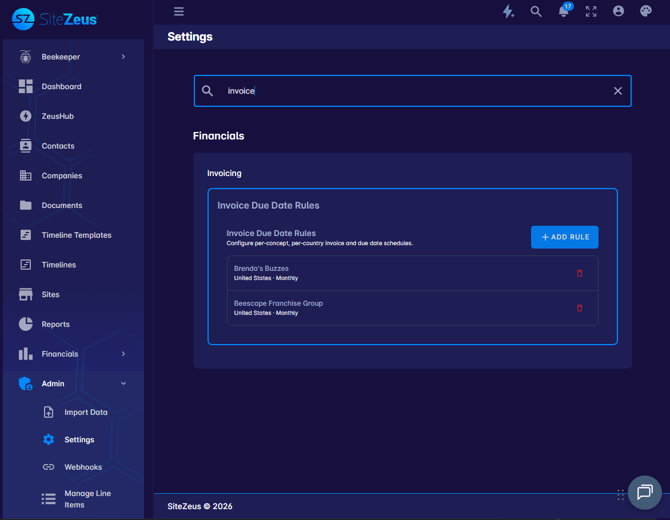
Invoice due dates can now be configured on a per-brand and per-country basis. Administrators can set up both fixed rules (e.g., always due on the 15th of the month) and relative rules (e.g., due 30 days after invoice generation). Once configured, invoices are automatically generated with the correct due date for each business entity — reducing manual corrections and ensuring compliance with different billing requirements across your organization.
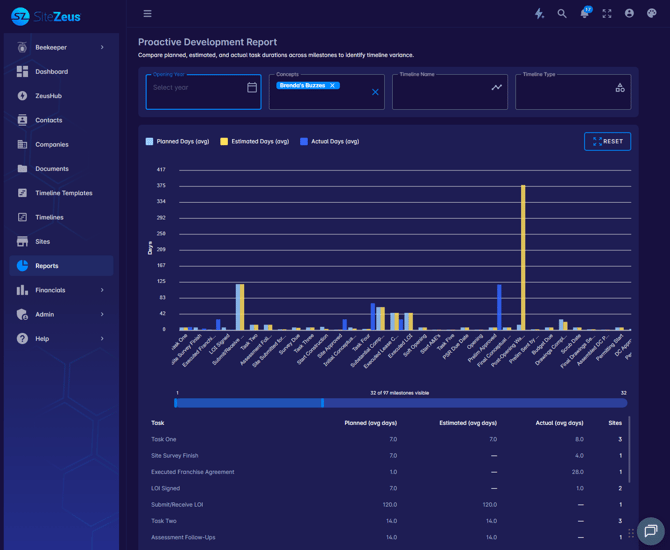
Proactive Development Report in NEXT
A new Proactive Development Report is now available in the NEXT platform. The report displays a color-coded bar chart showing planned, estimated, and actual durations for each timeline task side by side. The visual format makes it easy to identify at a glance where tasks are on track, where there are delays, and where your team is outperforming estimates — helping you surface bottlenecks or celebrate successes in your development process.
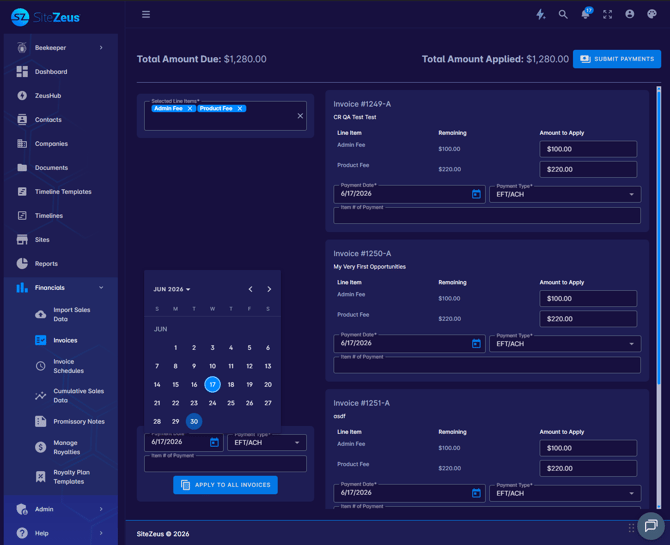
Make a Future Bulk Payment
When processing bulk invoice payments, you can now select a future payment date instead of being limited to today’s date. This allows finance teams to schedule payments in advance and ensure they are recorded in the system exactly when they need to be — improving accuracy in payment tracking and giving you more control over cash flow management.
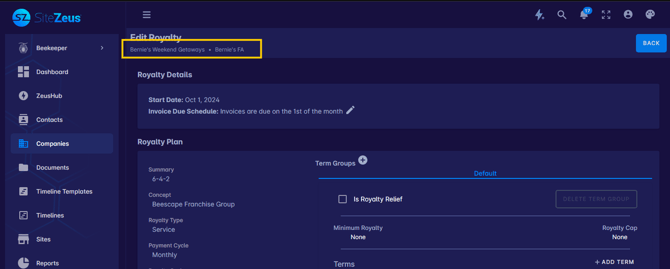
Show Company Name When Editing Royalty Plan
When editing a royalty plan, the interface now displays both the company name and the franchise agreement name together. Previously, only the agreement name appeared, which could be ambiguous when multiple companies shared similar agreement naming conventions. This small but impactful change ensures it’s always clear which company and agreement a plan is tied to, reducing the risk of editing the wrong record.
Invoice Preview on Hover
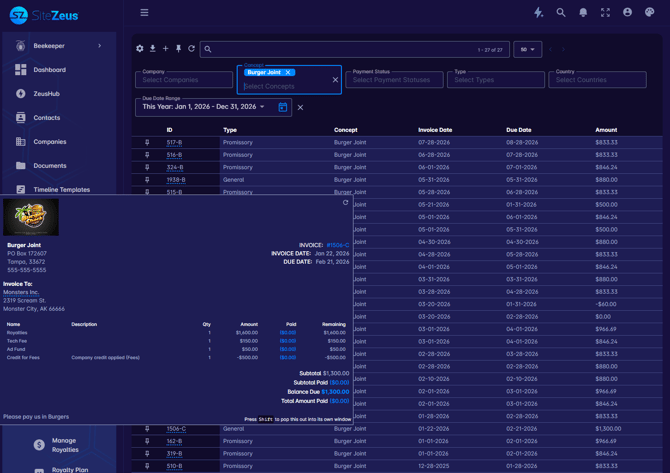
Hovering over an invoice reference number anywhere in the platform now displays a read-only invoice preview popup. The popup includes the invoice logo, billing information, line items, and totals — giving you a quick summary of the invoice without needing to navigate away from the current page. This is especially useful when reviewing payments, reports, or other records that reference multiple invoices.
Only Convert Active Sites
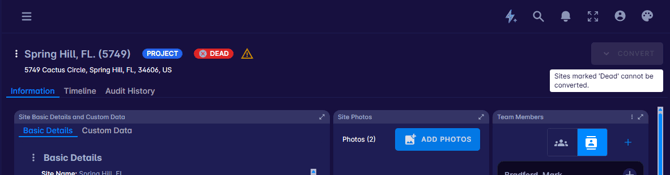
The ‘Convert’ option on site records is now restricted to sites with an ‘Active’ or ‘For Sale’ status. Sites marked as ‘Dead’ or ‘On Hold’ will no longer show this option, preventing accidental conversions that could introduce pipeline confusion. This ensures that only sites in valid states for conversion are eligible, keeping your pipeline data clean and accurate.
Entity Shown on Assessments Grid
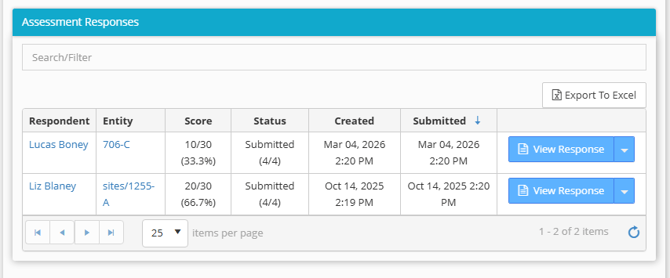
The assessment responses grid now shows the hyperlinked related entity (lead, seed, opportunity, project, etc.) to which the assessment is associated for easy reference and access.
💥 Bugs Squashed 💥
Term Group Trigger Dates Not Populating
Resolved an issue where term trigger dates were not populating on royalty plans. Trigger dates for all term groups now display as expected.
Only Primary Email Showing When Sending Invoices
Resolved an issue where only a contact’s primary email address was available when sending invoices. All emails associated with the contact will now populate in the send dialog.
Team Members Not Changing With Timeline Change
Resolved an issue where team members and roles were not updating when switching a site to a different timeline. Team members that are not present on the new timeline are now correctly removed when the timeline is changed.
Credits Not Applying
Resolved an issue where credits were not displaying as properly applied on invoices. Credits will now correctly reflect as applied and reduce the outstanding balance shown on the invoice.